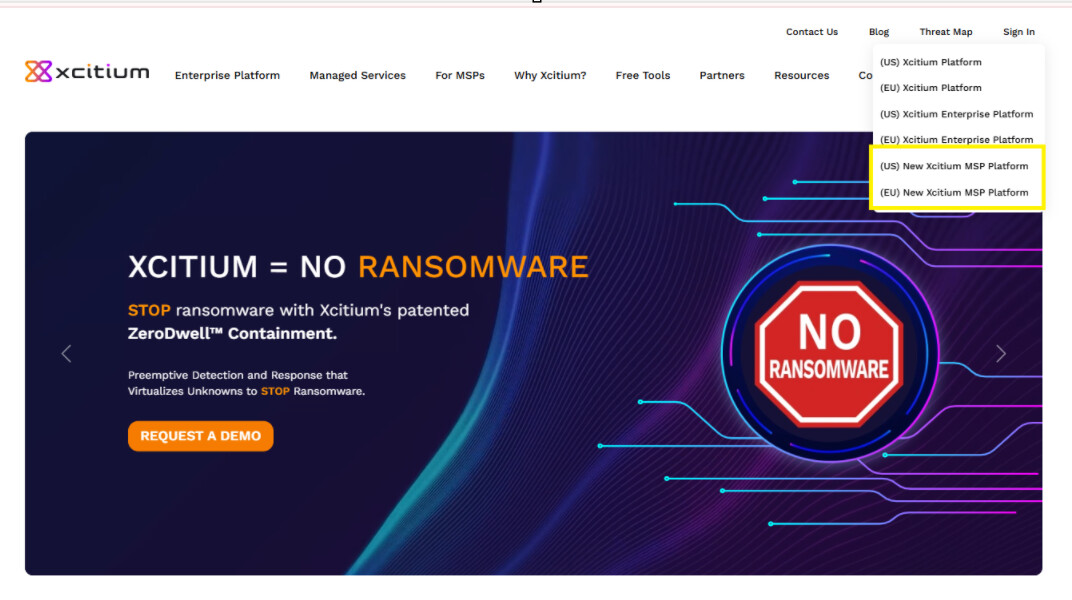
Hello Eeryone, starting now, you have access to the new Xcitium MSP Platform.
Why it matters:
A platform that thinks with you. Open a ticket and the AI has already read the device history, matched it to past incidents, and built the diagnosis before your technician touches it. It recommends the playbook. It executes within authority. It learns from every resolution, so the next one is faster.
Every signal — alerts, CVEs, customer requests, patch events — flows into one unified ticket lifecycle. Sense. Understand. Decide. Act. Learn. The entire operational loop, in one place, working for you.
Your existing platform is still available. Nothing has been taken away.
This is your upgrade — and we want you to experience it. Already an existing user? Just log in at the new link — your data, your devices, your history, everything is already there. Nothing to migrate. Nothing to set up.
To help make the platform more competitive and better support our operations, we would like to submit the following feature requests and operational feedback:
Product & Feature Enhancements:
Granular Filtering: Add customer- and group-level filtering across EDR, Firewall, File Rating, Device Control, and DLP events like other screen.
AI / MCP Integration: Support an open Model Context Protocol (MCP) interface so third-party AI agents can securely query and update platform data.
Reporting Suite: Provide comprehensive reporting tools for the Service Desk, particularly monthly executive summaries, quarterly business reviews (QBRs), and standard operational reports.
Third-Party Integrations: Integrate with industry-standard password managers (e.g., Keeper Security) and other common enterprise tools.
Billing & Account Management:
Billing Portal SSO: Implement Single Sign-On (SSO) for the billing management portal.
Invoice & Payment Resolution: Prioritize resolving ongoing billing, invoicing, and payment issues. As a distributor, these recurring discrepancies create significant operational friction for our team.
NTELogic we are really excited to hear that it looks great to you .
Admin helpguide: Xcitium Help | Xcitium Products Help Guide
If you have any have further question , I am more than happy to answer them
All you data including ticketing data are available as is in the new platform.
Please use this space to ask your questions and provide any feedbacks on the new platform. We are super excited to hear back what you all have to say about the new platform
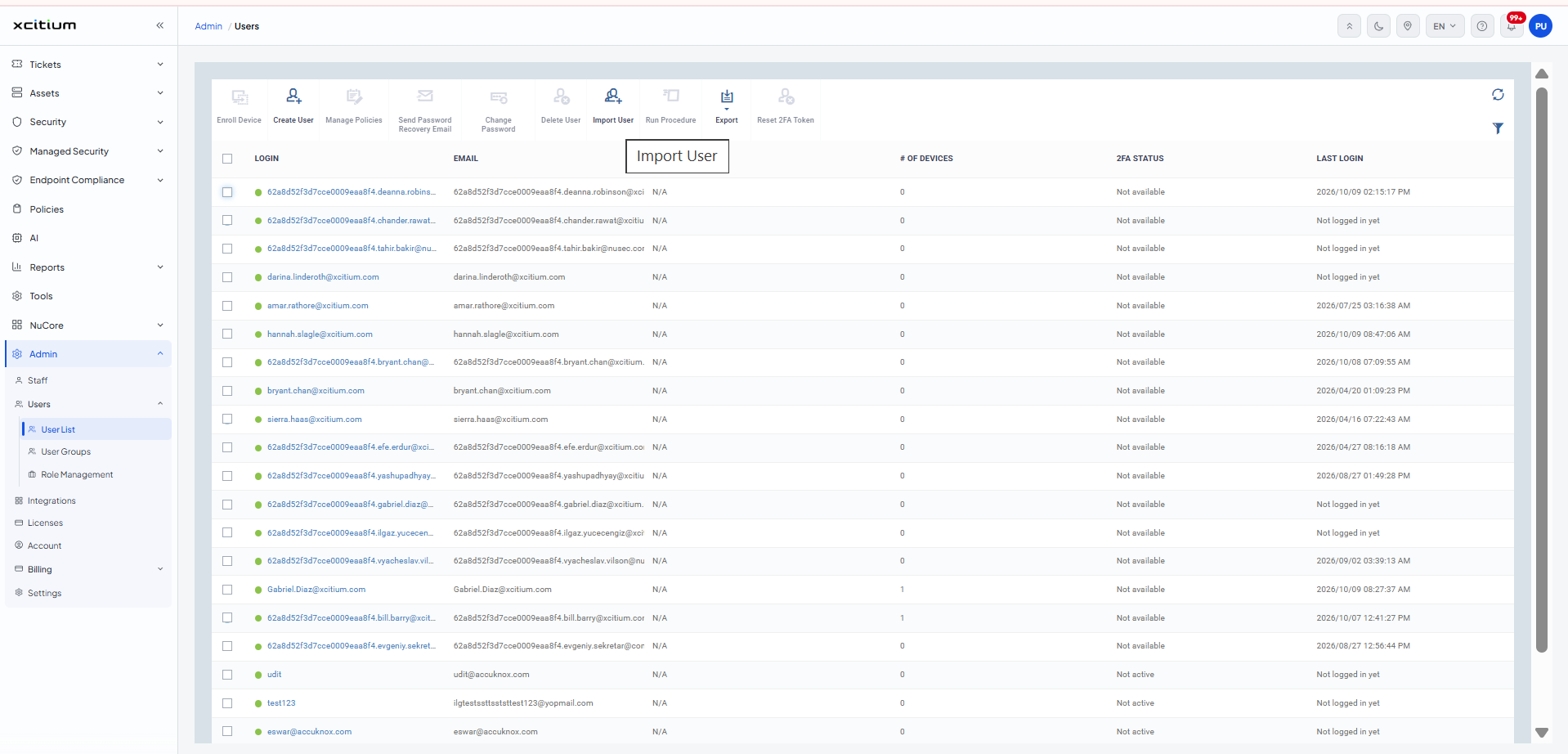
I’m not able to find the import users function stated in the product help guide (import many from a .csv file (Staff Panel → Users → User Directory → Add New User or Import). I can add a single new user but no import available. Can you please clarify where the import function is?
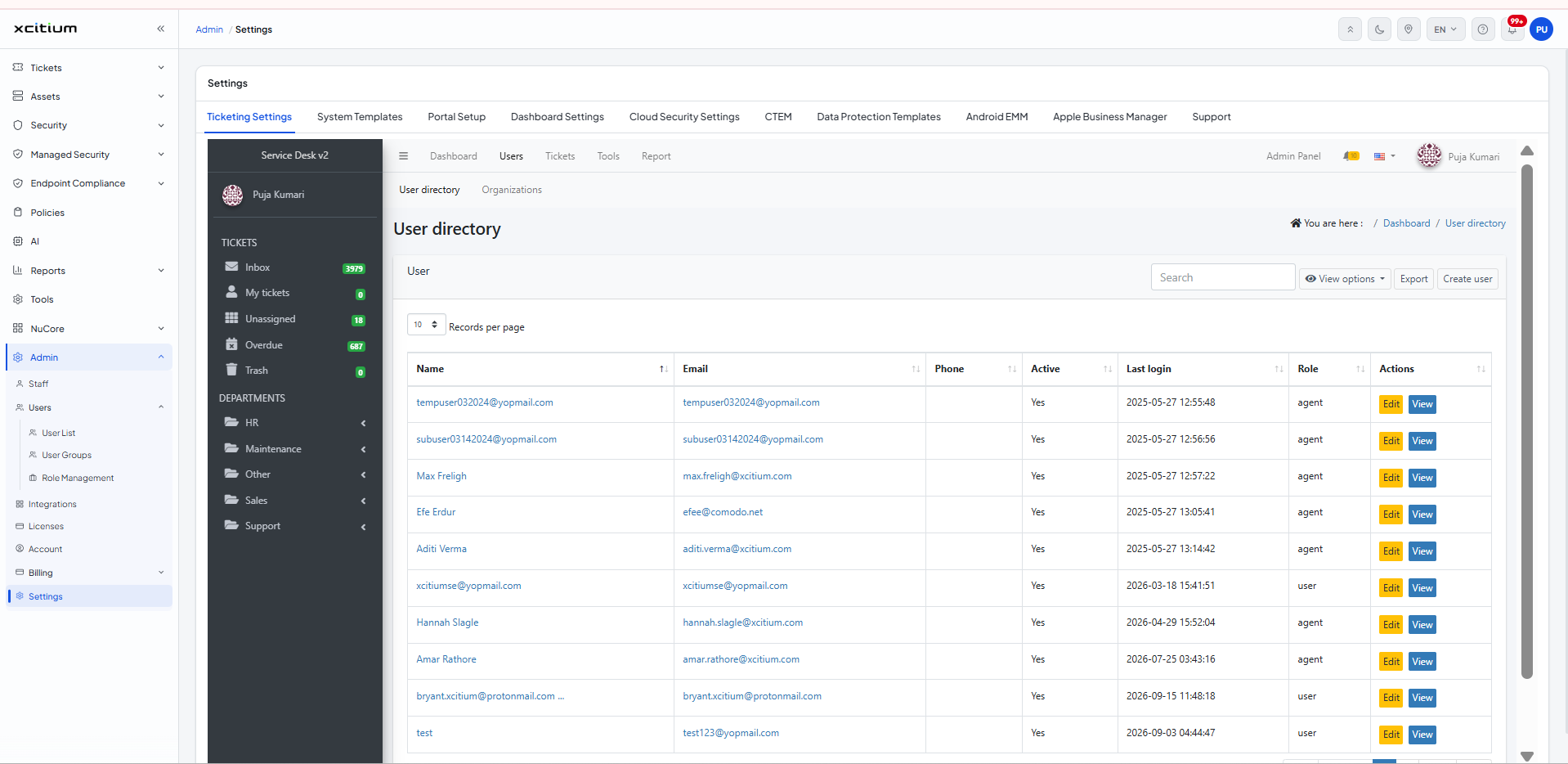
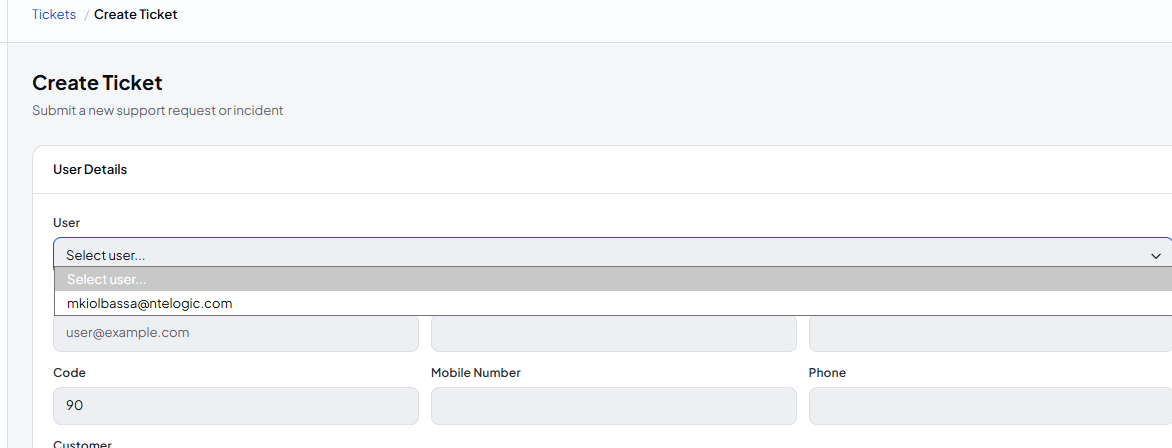
In the User List, all of our existing users are present. When I start to create a new ticket in Service Desk 2.0, the users are not present/available (see screenshot).
Can you raise a support for this with your account details, we will get user list migrated to the service desk also.
Just share the support ticket number with me here, I will get it prioratized . It is a quick process.